AI landscape design from a photo on Windows
Use Groont on Windows to visualize landscape ideas from a photo of your property. Open it from the Microsoft Store or use the web app in a browser on a computer, tablet or phone.
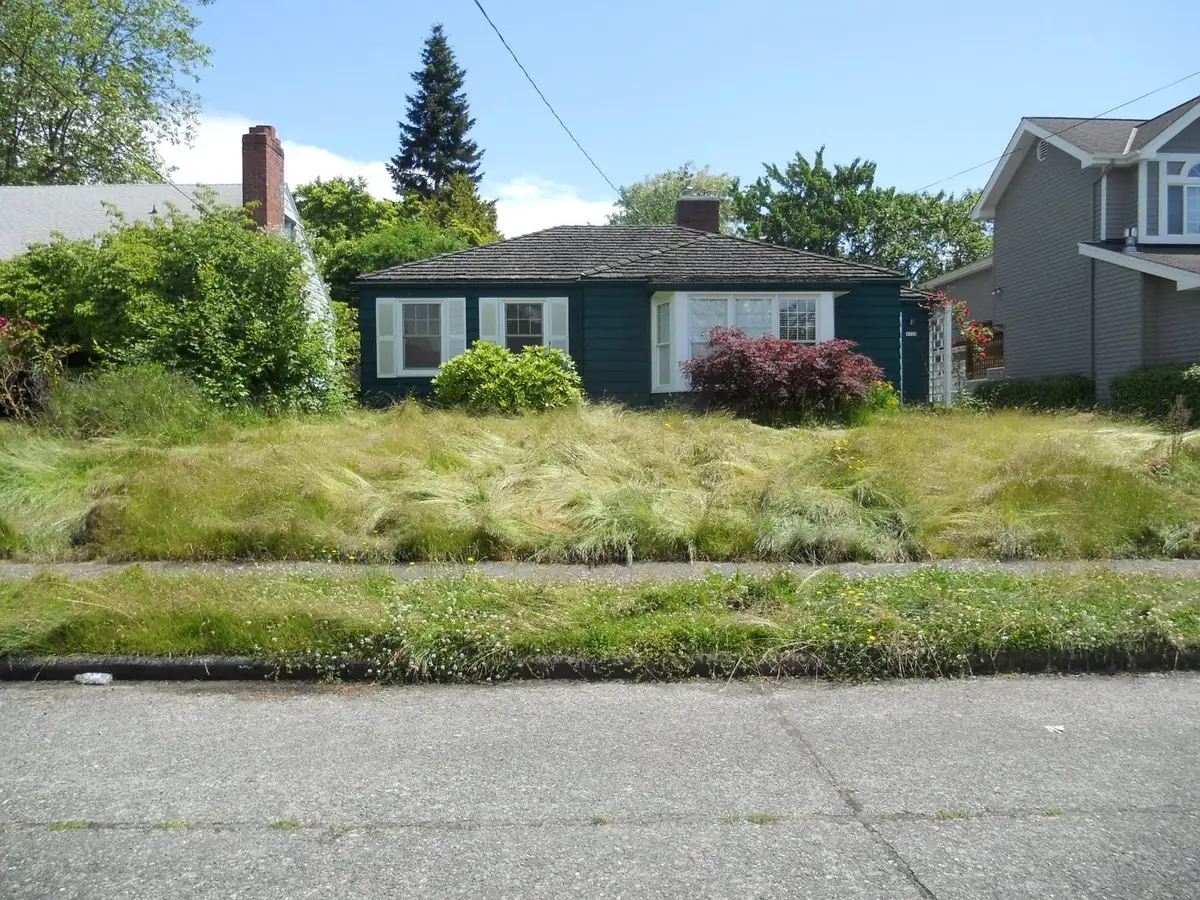
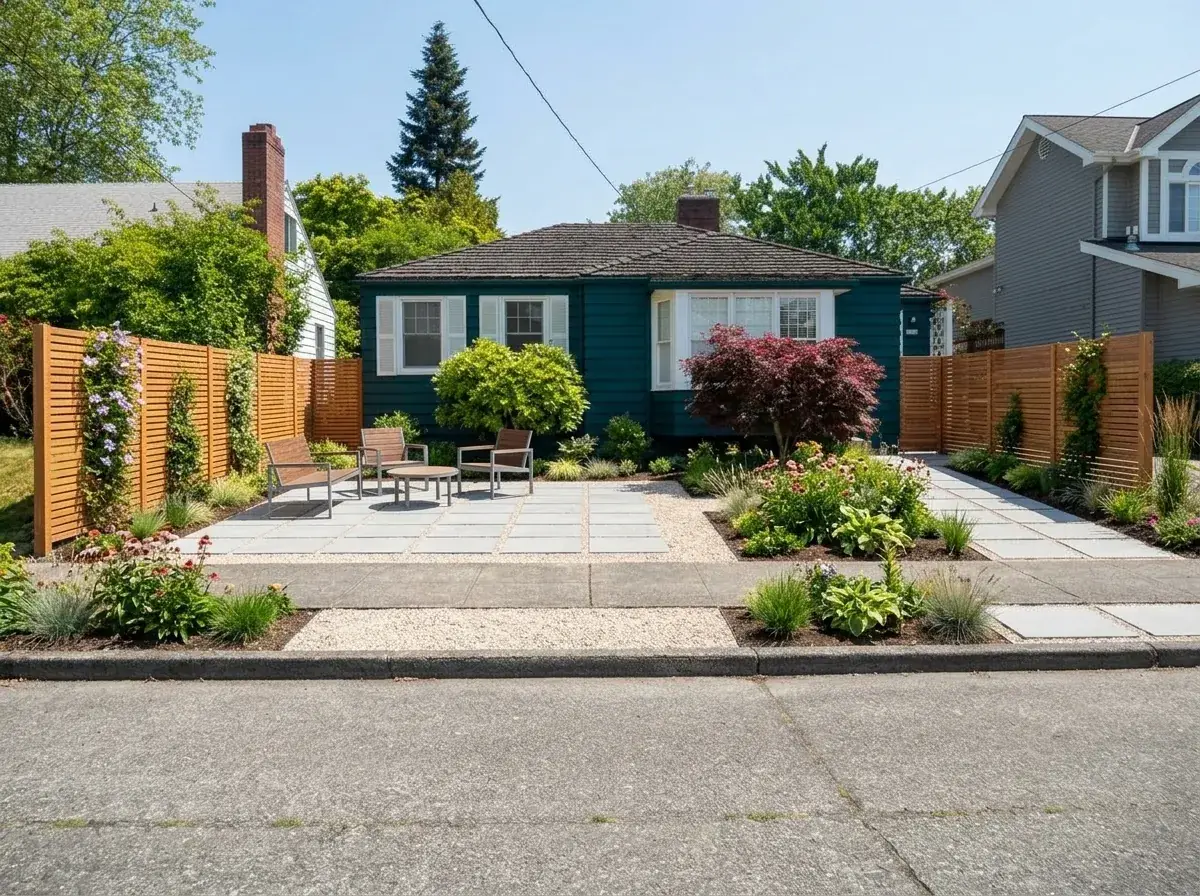
Before and after in Groont
This front-yard example pairs the original property photo with a Groont visualization of the same outdoor space. Compare the layout against the photo before deciding what to refine.
How to do it
- Open Groont and start a project with a clear photo from the viewpoint you want to keep. Include the edges of the area and fixed features such as the house and paths.
- Describe the change in plain language and name what must stay. Review the generated concept against the original photo.
- Select a specific area for another edit if only one part needs work. Reopen the saved project with the same account when moving to another device.
Example prompt
Add a planting bed beside the front path. Keep the house, paving and camera angle. Leave the entrance clear.
A single photo gives you a perspective view. Check dimensions and site conditions on location before ordering materials.